
Application
LED lighting for offices and workspaces
Office lighting supports reading, screen work, conversations and movement throughout the day. It should provide enough light without distracting reflections, excessive brightness or tiring contrasts. Layouts should follow workstation arrangements and natural light rather than applying the same grid everywhere.
Discuss my project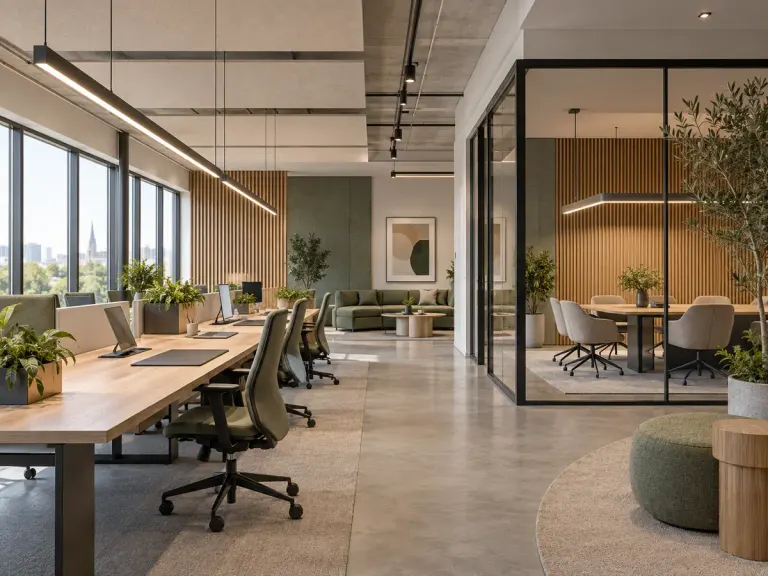
Project requirements
Lighting designed for the way you use the space
Screens, glossy surfaces, glass partitions and changing layouts make glare and reflections a priority. Meeting rooms need different scenes for video calls, presentations and note-taking. Circulation routes and reception areas also need consistent colour temperature and colour rendering.
An effective design combines ambient light, task lighting and accents. Check the position of pendants, panels and linear fixtures from the workstations. Occupancy sensing and daylight-responsive dimming can adjust lighting without making controls complicated for users.
Key checks
Define your requirements
- Workstation layout and screen orientation
- UGR and reflection control
- Uniformity across the work surface
- Consistent CRI and colour temperature
- Scenes for meetings and video calls
- Occupancy detection and daylight contribution
Solution ranges
Solutions to consider
- Suspended or recessed linear luminaires
- Low-glare panels and downlights
- Indirect lighting for comfortable spaces
- Zoned controls, detection and dimming
WIXLED support
From requirements to technical selection
Send us the plans, dimensions and main constraints. We can help identify the most relevant product ranges and technical documentation.
Advice and answers
Frequently asked questions: Offices
Essential answers to help you choose and plan your installation.
Which lighting is suitable for screen work?+
Uniform, low-glare lighting positioned to avoid screen reflections improves comfort. Workstation orientation is also important.
What does UGR mean for an office?+
UGR indicates discomfort glare. It is assessed using the luminaire, its position, the room and viewing directions, rather than the product data sheet alone.
Should I choose 3000 K or 4000 K?+
The choice depends on the atmosphere, materials, daylight and project requirements. Consistency between areas often matters more than a single value.
How should a meeting room be lit?+
Several scenes can support discussion, reading, projection and video calls. Lighting faces and controlling reflections are essential.
Do occupancy sensors save energy?+
They reduce unnecessary operating hours in intermittently used areas. Their effectiveness depends on zoning, time delays and coordination with daylight.